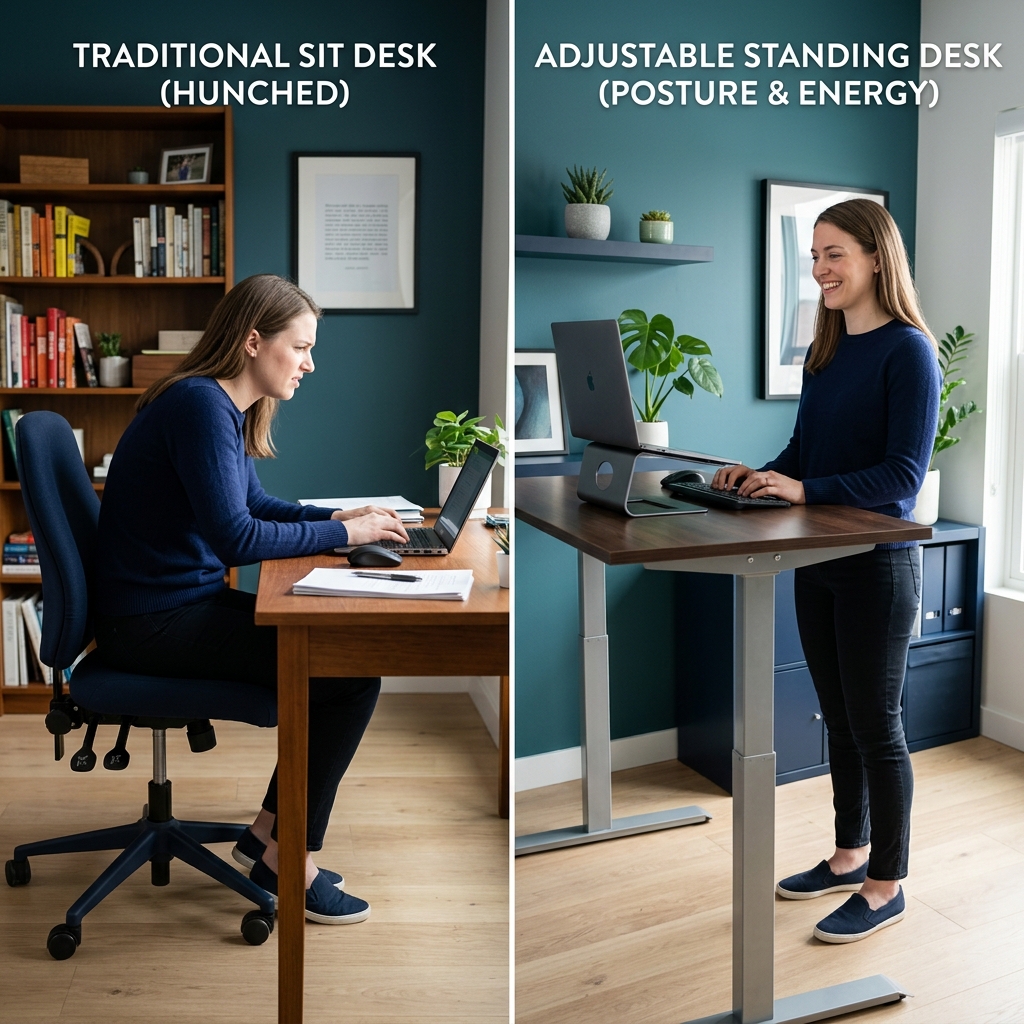
The standing desk industry is worth billions. The marketing promises are bold: “Sitting is the new smoking.” “Standing desks eliminate back pain.” “Stand more, live longer.”
But what does the actual evidence say?
We reviewed 15 peer-reviewed studies from the past decade. The truth is more nuanced — and more useful — than the marketing.
The “Sitting Is the New Smoking” Myth (Partly)
This phrase, popularized by Dr. James Levine of the Mayo Clinic, made standing desks a workplace staple. But context matters.
What the research actually shows:
- Prolonged unbroken sitting (4+ hours without any movement) is definitively harmful
- Standing is not inherently healthier than sitting — it just breaks the sitting pattern
- Prolonged standing also has health downsides (varicose veins, lower back fatigue, foot pain)
The actual enemy isn’t sitting. It’s static posture — holding any one position for too long.
What 15 Studies Say About Standing Desks
Cardiovascular Health
Multiple studies, including a landmark 2015 study in the Annals of Internal Medicine, show that regular standing during the workday is associated with reduced cardiovascular risk markers — but only when combined with movement, not standing still.
Bottom line: Standing alone doesn’t dramatically improve cardiovascular health. Movement does.
Back Pain
A well-designed 2016 study published in the Journal of Preventive Medicine found that 54% of lower back pain sufferers reported pain reduction after 4 weeks of using a sit-stand desk — compared to continuing to sit.
However, workers who stood for extended periods (without an anti-fatigue mat and good footwear) reported increased lower back and leg fatigue.
Bottom line: Alternating between sitting and standing reduces back pain. Standing all day does not.
Cognitive Performance
A 2018 study in the British Journal of Sports Medicine found that students who used sit-stand desks showed improved engagement and self-reported focus. However, fine motor tasks (like detailed spreadsheet work) showed slight degradation when standing.
Bottom line: Standing is better for meetings, calls, and reading. Sitting may be slightly better for precision tasks.
Productivity
A 12-month study by Texas A&M University found that call center employees with standing desks were 46% more productive than those with traditional desks. However, this included the effect of better mood and energy — not just different posture.
Bottom line: Sit-stand desk users report higher energy and mood, which supports long-term productivity.
Calorie Burn
Standing burns approximately 50 more calories per hour than sitting. Over a year, that’s meaningful — but not the primary reason to invest in a standing desk.
Who Benefits Most from a Standing Desk
You’ll get the most value if you:
- Sit for more than 6 hours per day currently
- Experience lower back, hip, or tailbone pain during work
- Have energy slumps in the early afternoon
- Work from home and have control over your setup
You’ll benefit less if you:
- Already take regular walking breaks every 45–60 minutes
- Have leg or foot conditions that worsen with standing
- Do precision mouse/drawing work all day
Who Should Stick With a Standard Desk (Done Right)
A traditional sitting desk with proper ergonomics — correct height, good chair with lumbar support, and a quality ergonomic office chair cushion for all-day seat comfort — outperforms a poorly set-up standing desk.
If your sitting posture, chair height, monitor level, and seat support are already optimized, the marginal gain from a standing desk is smaller than the marketing suggests.
The Ideal Protocol: Sit-Stand Cycling
The research consensus is clear on this: the optimal approach is not standing or sitting — it’s cycling between the two.
The recommended protocol:
- 20–30 minutes sitting → 8–10 minutes standing cycle
- Or: stand during calls, meetings, and reading; sit during writing and precision work
- Combine with a 5-minute walk every hour
This pattern keeps muscles and circulation active without accumulating the downsides of either extreme.
Standing Desk Setup Essentials
If you do switch to a standing desk, these are non-negotiable:
Anti-Fatigue Mat
Standing on a hard floor for hours creates pressure and fatigue from the feet up. A quality anti-fatigue mat reduces this by up to 60%. Gel core mats outperform solid foam for extended standing.
Proper Footwear
Don’t stand in bare feet or thin-soled shoes for hours. Running shoes or cushioned work shoes distribute ground reaction force far better.
Monitor Height Recalibration
Your monitor height changes when you stand. Either use a monitor arm (which lets you quickly adjust) or accept that your sitting monitor height won’t be correct when standing.
Chair Ergonomics Still Matter
You’ll still spend significant time sitting. A posture correcting seat pad and proper chair adjustment remain just as important as the standing element.
Read more: Best Office Chair Posture Tips
Standing Desk Buying Guide: What Actually Matters
If you’re purchasing a sit-stand desk, prioritize:
| Feature | Why It Matters | Minimum Spec |
|---|---|---|
| Height range | Must accommodate both sitting and standing heights | 22”–48” |
| Frame stability | Wobble at standing height destroys focus | Look for reviews at full extension |
| Motor noise | Loud motors break your concentration | Under 50dB |
| Memory presets | Frictionless switching is critical for adoption | 2+ presets |
| Weight capacity | Needs to hold monitors, PC, accessories | 150 lbs |
The Verdict: Is a Standing Desk Worth It?
Yes, if: You currently sit for more than 6 hours without meaningful breaks, experience back/hip pain, and are willing to use the sit-stand cycling protocol.
Not necessarily, if: You already have good movement habits, your sitting setup is well-optimized, or your budget is limited (ergonomic chair/cushion upgrade gives higher ROI first).
The priority order for ergonomic investment:
- Chair height + lumbar support (free if you have an adjustable chair)
- Seat cushion for comfort and pressure relief
- Monitor arm for correct screen position
- Standing desk (when the above are already handled)
For the complete setup optimization, see the Ultimate Ergonomic Desk Setup Guide.
The most important thing isn’t whether you stand or sit — it’s that you keep moving. Set a timer, honor your breaks, and adjust your environment to support health.